Close or restore your account
Export first, schedule closure, come back within a few days, or ask Support on Enterprise
Closing removes your Postra account, not one mailbox on a company domain. Path: Profile → Close account.
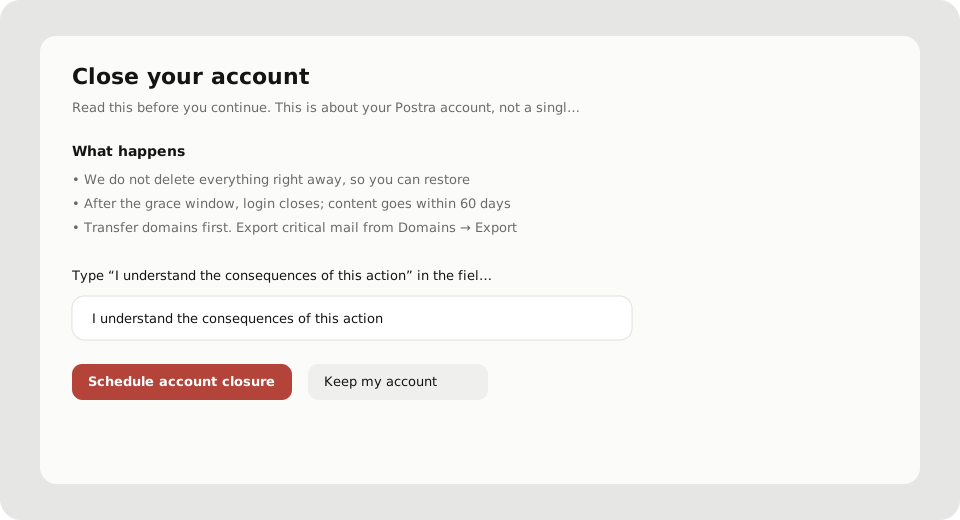
Before you continue
- Export anything you still need: Domains → Export (how)
- Transfer domains to another account if the company should keep them. Otherwise reconnecting later starts clean
- Read the plan note on the page. Professional may forfeit the rest of the subscription; billing edge cases go through Support
Starter and Professional
- Read What happens
- Type the confirm phrase exactly:
I understand the consequences of this action(localized phrases are accepted when shown) - Choose Schedule account closure
We do not wipe everything immediately. For about 7 days you can restore. Mailboxes go read-only. After that window, login and linked mail accounts close. Within about 60 days we delete content and anonymise account data, unless a legal request applies. Details live in the Privacy Policy.
Enterprise
Enterprise cannot self-serve delete. The page opens a Support Center request so legal, retention, and contract details can be handled. You do not need a second form afterward.
Restore during the waiting period
If closure is pending:
- Open the farewell screen, or Profile while pending
- Choose Restore account
Login still works in that window. After those roughly 7 days end, restore is no longer available from the product.
Company mailbox content
Closing your login is separate from organisation mail. Domain admins manage org mailboxes and exports. Privacy mail for Postra account data is covered in Privacy requests.