Find mail with search
Use filter chips or operators like from:, after:, and has:attachment.
Search sits at the top of the message list. Type freely, or add structured filters so you are not scrolling forever.
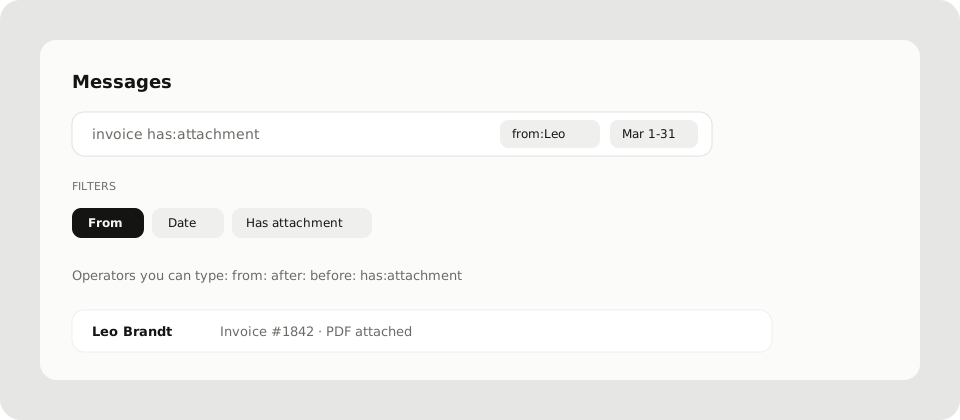
Quick filters in the UI
Use Add search filter (or the filter chips) for:
- From: name or email
- Date: click once for a day, twice for a range
- Has attachment: only threads with files
Combine them with ordinary keywords in the same query.
Operators you can type
| Operator | Example | Meaning |
|---|---|---|
from: |
from:mira@acme.co |
Sender |
after: |
after:2026-03-01 |
Messages on or after that day |
before: |
before:2026-04-01 |
Messages before that day |
has:attachment |
invoice has:attachment |
Threads with attachments |
Free text matches subject and body. Clear a chip to drop that constraint.
Where search runs
Search looks through the mailbox you have open, in the current list context (Messages, a folder, or a filter like Important). Switch mailbox from the sidebar if you need another address.
Related
- Sort with Folders and filters
- Save a personal PDF of one thread from the message menu: Export as PDF